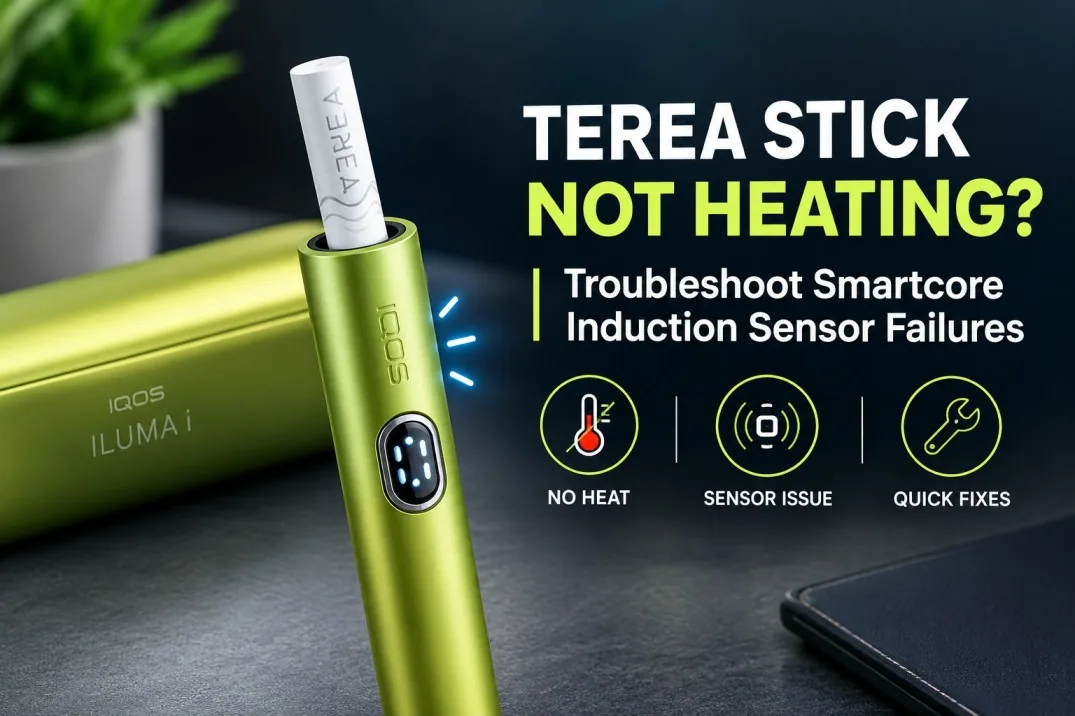
You slide in a fresh TEREA and nothing happens. Or it starts, then quits after a few puffs.
A TEREA stick not heating almost never means your Smartcore induction sensor is dead. The usual cause is a damaged stick, a low battery, AutoStart switched off, or a device that got too hot. You can rule all of these out at home in about 10 minutes.
TEREA sticks are built for the IQOS ILUMA family, including the ILUMA i Standard, ILUMA i ONE, and ILUMA i PRIME. They use induction, not the old heating blade, so old fixes like cleaning sticks don’t apply.
Whether you smoke TEREA Japan or any other regional blend, the steps below work the same way. Follow them in order to find out if the stick or the device is at fault.
How TEREA and IQOS ILUMA Heating Actually Works
What Makes TEREA Different From Older IQOS Sticks?
TEREA is a sealed stick with a thin metal heating element inside the tobacco. Older HEETS had no metal part, so the device pushed a heated blade into them instead.
So the systems don’t mix. PMI says TEREA must never go into older IQOS devices, and HEETS won’t work in ILUMA. Every regional line, from TEREA Swiss to the Central Asian editions, uses this sealed design, and some add a flavor capsule. Here’s how TEREA Pearl capsule technology works.
How the Smartcore Induction System Heats TEREA
Think of an induction cooktop. A coil in the holder creates a magnetic field, which warms the metal element inside the TEREA. That element heats the tobacco from within, so no blade ever touches it.
Why Session Detection and Heating Happen Together
AutoStart detects the TEREA and starts heating in one go. So focus on what goes wrong: no start, an early stop, an error light, or a weak session.
What Does “TEREA Stick Not Heating” Actually Mean?
Pin down the symptom first.
TEREA Does Not Start a Session
No vibration, no lights, and a cold stick. AutoStart may be off, so press the button for about 1 second to start manually. Our ILUMA i not detecting TEREA guide goes deeper.
The Session Starts but Stops Almost Immediately
It vibrates, then cuts out. Note the lights and test a second stick.
The Device Shows a Red or Blinking Indicator
Red blinking means a device error, fixed by a reset. White lights blinking twice mean the device is outside 0°C to 40°C. Note the exact pattern.
The Session Seems Abnormally Weak or Short
That’s not the same as no heat. It usually means low battery, a damp stick, or heat exposure. See why your ILUMA i produces less vapor.
TEREA Stick Not Working? Check These Things First
1. Check the TEREA Stick
Use a new, straight stick. Bent, crushed, or wet ones go in the bin, whether it’s TEREA Indonesian or any other pack.
2. Check TEREA Insertion
Insert it tobacco end first, up to the filter line. Never force or twist it. Tight fit? Read why TEREA isn’t inserting properly.
3. Check the Device Battery
Short-press the button to check the battery. Charge it if it’s low.
4. Check the Device Temperature
ILUMA works only between 0°C and 40°C. If it’s been in a hot car, let it cool indoors on its own.
5. Try Another Fresh TEREA Stick
One bad stick proves nothing. A second fresh one is your control test.
7 Common Causes of a TEREA Heating Problem
1. Damaged or Deformed TEREA Stick
Bending can shift the metal element out of position. Replace the stick, don’t force it.
2. Incorrect Stick Insertion
Too shallow, upside down, or at an angle stops a clean start.
3. Insufficient Device Charge
Low charge blocks a start or cuts sessions short.
4. Extreme Operating Temperature
Above 40°C or below 0°C, ILUMA won’t heat. PMI also says not to use sticks exposed to excessive heat, so a pack of TEREA Italy left in a hot car shouldn’t go into your device.
5. Temporary Device Error
A red blinking light usually means a glitch. The right reset for your model fixes most of these.
6. Repeated Session Interruption
Check if it happens with every fresh stick or just one pack. A pattern matters more than one bad session.
7. Possible Internal Device Fault
If several fresh sticks fail after a reset, a device fault is likely. It could be the induction system or electronics, but you can’t confirm which at home.
TEREA Troubleshooting: Step-by-Step Fault Isolation
Follow these in order.
- Remove the TEREA and inspect it. Replace it if it looks bent, crushed, or damp.
- Confirm the ILUMA has enough charge. Check the battery lights and charge if needed.
- Let the device reach a normal temperature. After a hot car, wait 20 to 30 minutes indoors.
- Insert a fresh TEREA correctly. Straight in, up to the line, no force.
- Watch what happens. Note whether it starts, stops early, or shows a red or blinking light.
- Test with another fresh TEREA. Does the problem repeat?
- Reset with the correct procedure for your model. See the next section.
- Decide where the fault sits. One failure points to the stick. Repeated failures point to the device.
How to Reset Different IQOS ILUMA Models
Each model resets differently. These are the official IQOS steps:
| Model | Reset method | Confirmation |
|---|---|---|
| ILUMA, ILUMA PRIME | Put the holder in the pocket charger, hold the charger button for 10 seconds, release | Lights turn off, blink twice, turn on |
| ILUMA i, ILUMA i PRIME | Put the holder in the pocket charger, hold the charger button for 10 seconds, release | Lights turn off, blink twice, turn on |
| ILUMA ONE | Hold the device button for 10 seconds, release | Lights blink and come back on |
| ILUMA i ONE | Hold the device button for 7 seconds, release | Lights turn off, blink twice, turn on |
IQOS ILUMA and ILUMA PRIME
The holder must sit inside the pocket charger during the reset.
IQOS ILUMA ONE and ILUMA i ONE
These all-in-one devices reset with their own button: 10 seconds on ILUMA ONE, 7 on ILUMA i ONE.
Why You Shouldn’t Use a Universal ILUMA Reset Method
Each generation has different hardware, so the wrong method or timing won’t trigger a reset. See our full ILUMA i reset guide for more.
TEREA Smartcore Induction Failure: What Can You Actually Diagnose?
What Users Can Check
- The TEREA stick’s condition
- Correct insertion
- Battery level
- Device temperature
- The light pattern
- Whether failures repeat with fresh sticks
What Users Cannot Reliably Diagnose at Home
- A faulty induction coil
- Failed internal electronics
- A specific sensor or component
- Loose internal connections
Why “Sensor Failure” Should Not Be the First Assumption
A flat battery, a hot device, and a bent stick all look the same: no heat. Only when several fresh sticks fail after a reset do you have real evidence of a TEREA induction sensor problem.
What If IQOS ILUMA Starts but Then Stops Heating?
First, check you didn’t pause it. ILUMA i and ILUMA i PRIME can pause a session for up to 8 minutes.
Check the Device Indicator
Red means error and a white double-blink means temperature. One pulsing white light with a vibration just means your last 30 seconds or 2 puffs.
Test Another Fresh TEREA
One stop can be a fluke. Three in a row is a pattern.
Check Battery and Temperature
Both can cut a session short.
Reset Using the Correct ILUMA Model Procedure
Use the table above.
Persistent Session Interruptions May Require Support
Still stopping after a reset and fresh sticks? Contact support.
Why You Should Not Clean the IQOS ILUMA Heating Chamber
ILUMA Does Not Use the Old Heating-Blade System
Older IQOS blades left residue in the chamber. ILUMA has no blade.
TEREA Is Designed as a Sealed Stick
The tobacco stays inside the stick. PMI says ILUMA means no residue and no cleaning, ever.
Don’t Use Cleaning Sticks, Pellets, or Sharp Tools Inside ILUMA
Those tools were built for blade chambers and can damage an ILUMA holder. Insert nothing but TEREA. If a stick breaks inside, follow our stuck or broken TEREA guide instead of digging.
Don’t Open the Device to “Fix” an Induction Problem
ILUMA has no user-serviceable parts, and opening it voids the warranty. Leave hardware faults to official support.
UAE-Specific Causes of IQOS ILUMA Heating Problems
High Temperatures and Car Storage
The National Centre of Meteorology has recorded August highs of 48.8°C in Dubai, and a parked car gets hotter. That’s far past ILUMA’s 40°C limit, so never leave your device or sticks in the car.
Direct Sunlight and Prolonged Heat Exposure
A dashboard or poolside table can push it out of range in minutes. Keep it in a bag or pocket.
Moving Between Extreme Temperatures
After coming in from 45°C heat, give the device a few minutes before you use it.
Keeping TEREA and the Device Stored Properly
Keep both cool and dry, and keep packs closed against humidity, from TEREA Tajikistan to your everyday blend. The same goes for an ILUMA i Standard Green or the ILUMA I Galaxy Blue limited edition.
How to Tell Whether the TEREA Stick or IQOS ILUMA Is the Problem
| What you see | What it most likely means | Next step |
|---|---|---|
| Only one TEREA fails | Stick issue | Bin it, use a fresh one |
| Several fresh TEREA fail | Device issue | Reset, then contact support |
| Repeated error lights | Device issue | Note the pattern, use official support |
| Problem gone after a reset | Temporary glitch | Keep using it, watch for repeats |
| Nothing changes after basic steps | Possible hardware fault | Stop testing, contact support |
If a fault returns after a reset, treat it as a device problem. If only one pack fails, like a TEREA Kazakhstan batch from an unknown seller, try a trusted pack first.
Common Mistakes That Can Make TEREA Heating Problems Worse
- Forcing TEREA into the holder. It bends the stick.
- Reusing a heated stick. TEREA is single use. If one tastes off, read why a TEREA stick tastes burnt.
- Using damaged TEREA, whether it’s TEREA Uzbekistan or your usual pick.
- Ignoring repeated error lights.
- Using the wrong reset for your model.
- Applying old IQOS cleaning methods.
- Opening the device. It voids the warranty.
- Using a device with a persistent fault.
When Should You Stop Troubleshooting and Contact IQOS Support?
Contact support if:
- Multiple fresh TEREA sticks fail in the same way.
- The device keeps stopping sessions after a reset.
- A red or other fault light keeps coming back.
- Resetting changes nothing.
- The device has cracks or dents.
- It was exposed to extreme heat or water.
- You suspect an internal induction or electronics fault.
Share your model, the light pattern, and the steps you’ve tried.
Quick TEREA Troubleshooting Decision Tree
Stop when you get your answer.
- Damaged stick? Replace it. If not, go on.
- Battery low? Charge it.
- Too hot or cold? Let it return to room temperature.
- Fresh TEREA works? The first stick was the problem.
- Several fresh sticks fail? A device fault is likely.
- Reset with your model’s procedure. Fixed? You’re done.
- Still failing? Contact IQOS support or your retailer.
Frequently Asked Questions About TEREA Not Heating
Why is my TEREA stick not heating in IQOS ILUMA?
Usually a damaged stick, low battery, heat above 40°C, or AutoStart turned off.
Why does my IQOS ILUMA fail to start when I insert TEREA?
AutoStart may be off or the stick isn’t fully in. Insert it to the filter line and press the button for 1 second.
Why does my IQOS ILUMA start and then stop heating?
Pause Mode on ILUMA i models, low battery, heat, or a glitch. Reset if it repeats.
Can a damaged TEREA stick cause an IQOS ILUMA heating problem?
Yes. A bent stick can block the start or heat unevenly, so use a fresh one, even with newer blends like TEREA Kyrgyzstan.
How do I know if my IQOS ILUMA has an induction problem?
It’s likely when several fresh sticks fail after a full charge and correct reset. Only support can confirm it.
Can low battery prevent TEREA from heating?
Yes. It may not start or may cut out early.
Can UAE heat affect IQOS ILUMA performance?
Yes. ILUMA stops above 40°C, and UAE summers go well past that.
Does IQOS ILUMA need to be cleaned like older IQOS devices?
No. ILUMA has no blade, and TEREA is sealed, so PMI says no cleaning is needed.
Can I use IQOS cleaning sticks inside an ILUMA?
No. They’re made for blade devices and can damage the holder.
How do I reset IQOS ILUMA?
Put the holder in the pocket charger and hold the charger button for 10 seconds.
Is resetting ILUMA ONE different from resetting ILUMA PRIME?
Yes. ILUMA ONE uses its own button for 10 seconds, ILUMA PRIME resets through the pocket charger, and ILUMA i ONE needs 7 seconds.
Can I repair an IQOS ILUMA induction sensor myself?
No. There are no user-serviceable parts inside, and opening it voids the warranty.
When should I contact IQOS support about TEREA not heating?
When fresh sticks keep failing after a correct reset, or a red light keeps returning.
Final Verdict: What to Do When TEREA Won’t Heat
Is your Smartcore sensor broken? Almost certainly not. Here’s the order:
- Check the stick, insertion, battery, and temperature first.
- Test with a fresh TEREA and read the lights.
- Detection and heating are one process, so a failed session isn’t proof of sensor failure.
- Skip old blade-cleaning methods.
- Use your model’s exact reset.
- If several fresh sticks fail, get official support.
Where to Buy Genuine TEREA in the UAE
Badly stored sticks cause plenty of heating complaints, so buy from a trusted seller. TEREA Dubai stocks authentic TEREA and ILUMA i devices, with 1 to 2 hour delivery in Dubai, Sharjah, and Ajman, 12-hour delivery to the other emirates, and cash, card, or bank transfer payment.
Bookmark this guide for the next time a stick stays cold.
TEREA and IQOS ILUMA contain nicotine, which is addictive. For adults 18 and over only.
