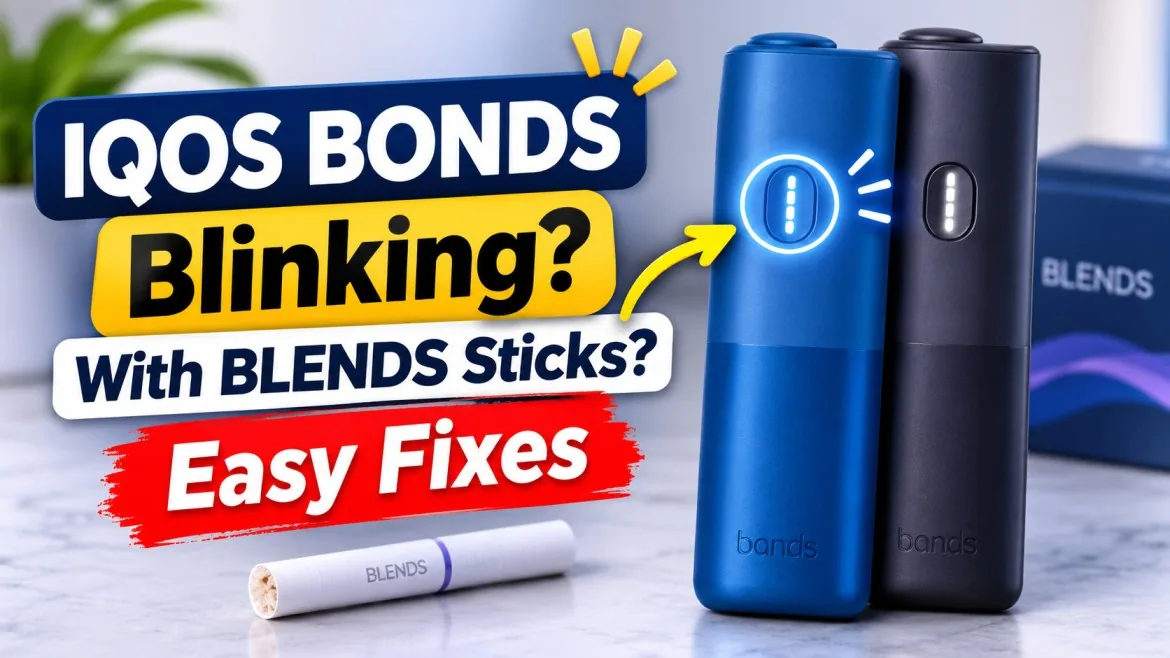
Why Is Your IQOS BONDS Device Blinking With BLENDS Sticks?
You open the slider, push in a fresh BLENDS stick, and press the button. Instead of warming up, the lights start flashing at you. Frustrating, right?
The good news is that an IQOS BONDS device blinking with BLENDS sticks is usually telling you something simple. The battery may be low, or the device may be too hot or cold. It may need a cooldown or a quick reset.
Every color and pattern on BONDS has a specific meaning. Once you know which one you’re looking at, the fix usually takes less than five minutes. This applies to every model in the IQOS BONDS devices range, whether you carry the BONDS Ruby Red or another color.
BONDS runs on the ROUNDHEAT TOBACCO SYSTEM, and it works only with BLENDS sticks for IQOS BONDS. This guide takes you through four steps:
- Identify your light pattern.
- Find the cause.
- Apply the right fix.
- Know when it’s time to call IQOS support.
What Do the Different IQOS BONDS’ Blinking Lights Mean?
Start here. Match your light pattern with the table below, then jump to the section you need.
| LED pattern | What it means | Quick action |
|---|---|---|
| Red blinking (unplugged) | Device error | Reset the device |
| Red blinking (plugged in) | Charging too slowly | Change the cable or adapter |
| Yellow/orange blinks 3 times | Low battery | Recharge |
| All four white lights blink twice | Outside the 0°C–40°C range | Let it return to room temperature |
| Lights pulse up and down | Cooldown after 3 back-to-back sessions | Wait about 4 minutes |
| White lights pulse after you press the button | Normal preheating | Wait for the “ready” vibration |
| No lights | Device off or battery empty | Turn it on or charge it |
IQOS BONDS Blinking Red Light
A red light means one of two things, and whether the charger is plugged in tells you which:
- Unplugged: BONDS has hit a device error. A reset fixes most of these.
- Plugged in: The device is charging too slowly. This usually comes from a weak adapter, a damaged cable, or a low-power USB port.
If the red light shows while charging, swap the cable and adapter before you do anything else. If it keeps blinking red while unplugged, even after a reset, stop and contact IQOS support.
IQOS BONDS Blinking White Twice
When all four white lights blink twice, BONDS is outside its operating range of 0°C to 40°C. The device blocks heating to protect itself.
In the UAE, heat is the usual culprit. Summer temperatures regularly pass 40°C, and a parked car gets far hotter than that.
Picture this. You leave your BONDS in the cup holder during a quick stop at a Sharjah petrol station in August. When you get back, it refuses to heat and flashes white twice. Keep it in your pocket inside an air-conditioned shop for a few minutes, and it works normally again once it cools down.
Cold rarely causes this in the UAE. It can happen, though, if you travel somewhere with sub-zero winters.
IQOS BONDS Blinking Yellow or Orange Three Times
Three yellow or orange blinks mean the battery is low. BONDS won’t start a session it can’t finish, so plug it in and charge it before you try again.
IQOS BONDS Lights Pulsing Up and Down
This is not a fault. BONDS supports three consecutive sessions, and after the third, it enters cooldown mode. The lights move up and down while it cools. Give it about 4 minutes, and it’s ready again.
IQOS BONDS White Pulsing During Preheating
White lights pulsing right after you press the button mean BONDS is heating. That’s normal.
The difference from an error is easy to spot. Preheating pulses are steady and end with a vibration. Error signals are quick blinks, usually in red, orange, or a double white flash.
Why Does IQOS BONDS Blink When Using BLENDS Sticks?
Now that you know your pattern, here’s what usually sits behind it.
1. Low battery or charging problems. A weak charge stops a session before it starts. A low-output laptop USB port or a cheap adapter can also charge so slowly that BONDS flashes red. If charging is your main headache, our guide on fixing BONDS charging problems covers it in detail.
2. Temperature outside 0°C–40°C. Direct sunlight, hot cars, and heaters all push BONDS out of its working range.
3. Incorrect stick insertion. Every BLENDS stick has a printed line on the filter. Push the stick straight in up to that line. Bent, crushed, or twisted sticks don’t sit properly.
4. Incompatible sticks. BONDS works only with BLENDS. TEREA and DELIA are SMARTCORE sticks made for IQOS ILUMA. HEETS belong to older blade-based IQOS devices. None of them are made for BONDS.
5. Temporary device errors. Like any electronic device, BONDS sometimes glitches, and a reset clears these. If the same error returns again and again, you’re dealing with a hardware problem, not a glitch.
6. Dirt, moisture, or physical damage. Lint around the slider, a drop on hard tiles, or contact with water can all affect how BONDS behaves.
How to Fix IQOS BONDS When It Keeps Blinking
Work through these steps in order. After each one, try a fresh stick and check the lights again.
Step 1: Check and reinsert your BLENDS stick. Remove the stick and look at it. If it’s bent or crushed, throw it away. Insert a fresh one with the filter facing out, straight down to the printed line. Don’t twist or force it, and don’t move it during the session. Whether you smoke BLENDS Gold Edition or Watermelon Mix, the insertion rule stays the same.
Step 2: Let the device return to room temperature. Move it out of the sun and away from heaters. Let it adjust naturally. Never put it in the fridge or freezer, and never warm it with a hairdryer.
Step 3: Recharge it properly. Use a USB-C cable and a proper wall adapter, not a laptop port. Check the cable for damage and the port for dust. A full charge on BONDS 2 takes about 120 minutes.
Step 4: Wait out the cooldown. If the lights pulse up and down, leave the device alone for about 4 minutes. Pressing the button repeatedly won’t speed it up.
Step 5: Reset your IQOS BONDS device. Remove the stick first. Then follow these steps:
- Press and hold the ON/OFF button for 10 seconds.
- Release the button.
- Watch the lights. They turn back on, blink slowly twice, and then ramp up to show the battery level.
That light sequence confirms the reset. Keep in mind that a reset clears software glitches only. It won’t repair a damaged battery or broken hardware.
Step 6: Inspect the slider and outer surfaces. Wipe the outside with a dry, soft cloth and clear any lint around the slider. Don’t put anything into the heating chamber, including toothpicks, cotton swabs, metal objects, or liquid. Never open the device.
Inserted a BLENDS Stick but Preheating Won’t Start?
This catches a lot of people who switch from ILUMA. BONDS has no Auto-Start, so inserting a stick does nothing on its own. Here’s the right way to start a session:
- Make sure the device is on. If it’s off, hold the button for 4 seconds.
- Open the slider and insert your stick up to the printed line.
- Press the button until BONDS vibrates and the white lights pulse.
- Wait for the “ready” signal, which depends on your model:
- Original BONDS: A second vibration comes after about 10 seconds. Take one puff to prime it, then wait about 20 seconds for a third vibration and steady lights.
- BONDS 2: Preheating takes about 30 seconds, and the device is ready after the second vibration.
IQOS BONDS Stops Heating Mid-Session
Check the lights straight away:
- Orange means low battery.
- Two white blinks mean the device is too hot or too cold.
- Up-and-down pulsing means cooldown.
- Red while unplugged means a device error.
If it keeps stopping with the same red signal, stop trying and reset it once. Our article on BONDS not heating or not vibrating walks through more of these cases.
IQOS BONDS Keeps Blinking Even With a New BLENDS Stick
A new stick only fixes stick-related problems. If the blinking continues, the cause is the battery, the temperature, or the device itself.
Work through the checks in this order:
- Check that the stick is compatible and inserted to the line.
- Confirm the charge level and the temperature.
- Reset the device.
If it still blinks after that, the device needs professional inspection.
Understanding the IQOS BONDS ROUNDHEAT TOBACCO SYSTEM
BONDS works differently from other IQOS devices, which explains many of the mistakes people make.
How ROUNDHEAT works. ROUNDHEAT uses bladeless, external resistive heating. The heater surrounds the stick and warms the tobacco from the outside.
IQOS ILUMA uses the SMARTCORE INDUCTION SYSTEM instead. It heats a sealed metal element inside TEREA sticks from within. These are two different technologies, so the sticks can’t be swapped between the devices.
Why BLENDS only. BLENDS sticks are built for ROUNDHEAT. TEREA and DELIA need ILUMA, and HEETS need older IQOS models. Forcing any other stick into BONDS can damage the chamber. If you also own an ILUMA, you’ll find its sticks at TEREA Dubai. Just keep those sticks away from your BONDS.
Where to Buy IQOS BONDS and BLENDS Sticks in the UAE
Genuine, well-stored sticks matter. Damaged packs and heat-exposed sticks are harder to insert properly, and they heat unevenly.
At TEREA Dubai, you’ll find the full BONDS range, including BONDS Ocean Blue and BONDS Cosmic Black.
For classic sticks, choose from these editions:
If you prefer fruitier options, try these:
Store your packs somewhere cool and dry, never in the car.
When Should You Contact IQOS Customer Support?
Basic fixes solve most blinking issues. Contact official support in these situations:
- The red light continues after a reset. One or two resets are enough. Repeating it won’t fix a hardware fault.
- BONDS won’t charge properly even with a working cable and wall adapter. The battery or charging port may need inspection.
- The device gets unusually hot or shows damage. Stop using it, unplug the charger if it’s safe to do so, and don’t try to repair it yourself.
You can also read our BONDS troubleshooting guide for other device issues.
Frequently Asked Questions About IQOS BONDS Blinking Lights
Why is my IQOS BONDS device blinking when using BLENDS sticks?
It’s warning you about something specific. The usual causes are low battery, temperature, cooldown, a bad insertion, or a device error. Check the colour and pattern to find out which one it is.
What does a red blinking light mean on IQOS BONDS?
When unplugged, it means a device error, so reset the device. When charging, it means BONDS is charging too slowly, so change the cable or adapter.
Why does IQOS BONDS blink white twice?
The device is outside its 0°C–40°C operating range. Move it to a room-temperature spot and wait before trying again.
Why does IQOS BONDS blink yellow or orange three times?
The battery is low. Charge it before your next session.
What does it mean when IQOS BONDS lights pulse up and down?
BONDS is cooling down after three consecutive sessions. Wait about 4 minutes.
How do I reset my IQOS BONDS device?
Hold the ON/OFF button for 10 seconds and release it. The lights turn back on, blink slowly twice, and then show the battery level.
Does IQOS BONDS start heating automatically when I insert a BLENDS stick?
No. BONDS has no Auto-Start. Press the button until the device vibrates to begin preheating.
Why is my IQOS BONDS not heating BLENDS sticks?
Usually, one of these is the cause:
- The button wasn’t pressed.
- The battery is low.
- The device is too hot or too cold.
- The stick isn’t inserted to the line.
A device error is the less common cause.
Can I use TEREA or HEETS sticks in IQOS BONDS?
No. TEREA is for IQOS ILUMA, and HEETS are for older IQOS devices. BONDS works only with BLENDS.
How long does IQOS BONDS take to cool down?
About 4 minutes after three back-to-back sessions.
What should I do if IQOS BONDS keeps blinking after a reset?
Check the pattern again, then confirm your charger and the temperature. If the red blinking continues, contact IQOS support.
Conclusion: Identify the Blinking Pattern Before Trying Another Fix
Your BONDS isn’t blinking at random. Each colour and pattern points to one cause, so read the light before you act.
A few habits prevent most problems:
- Insert BLENDS sticks up to the line.
- Press the button to start each session.
- Keep the device charged and out of the heat.
- Respect the cooldown.
- Never use incompatible sticks or open the device yourself.
If a red light survives a reset, let IQOS support take over. For more practical BONDS tips, browse our blog. And keep fresh BLENDS in stock so a damaged stick never ruins your break again.
