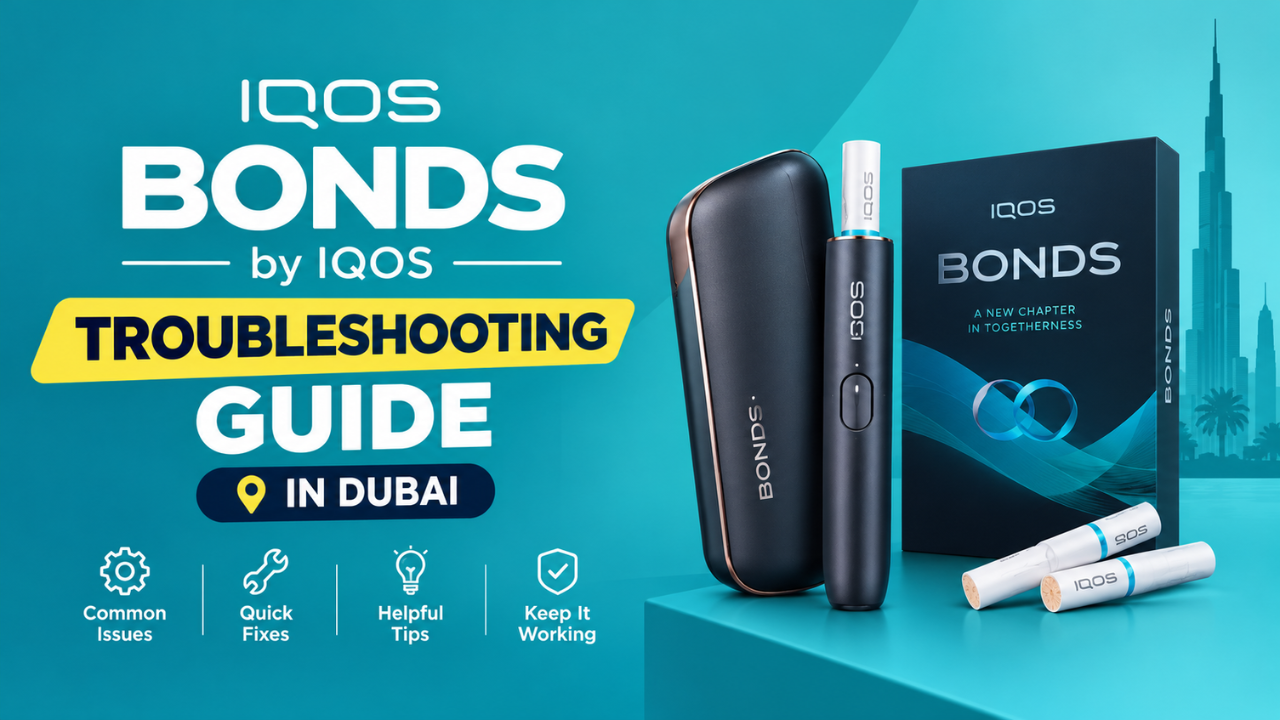
Most BONDS by IQOS problems come down to five simple things: an empty battery or the wrong adaptor, a temperature outside 0 to 40 degrees, cool down mode after three sessions in a row, a stick that is the wrong type or not pushed in to the line, or a small software glitch that a 10-second reset clears. The lights on your device tell you which one it is.
This BONDS by IQOS troubleshooting guide is written for UAE users, so it covers what Dubai heat does to your device, which adaptor to use, and where to go if the device really is faulty. Find your symptom below and follow the steps in order. Most fixes take less than five minutes.
Start Here: Find Your Symptom in 10 Seconds
| Symptom | Likely Cause | First Fix |
|---|---|---|
| No lights at all | Switched off or battery empty | Hold the button 4 seconds, then charge |
| Will not charge, or charges slowly | Wrong adaptor or dirty USB port | Use a certified 10W adaptor (2A, 5V) |
| Red blinking light | Device error or slow charging | Reset, then check the adaptor |
| Yellow or orange light blinks | Low battery | Charge it |
| All lights blink white twice | Too hot or too cold | Move it somewhere between 0 and 40 degrees |
| Lights pulse up and down, 4th session will not start | Cool down mode | Wait about 4 minutes |
| Vibrates but no heat or no taste | Stick or start problem | Check the stick, try a new sealed one, reset |
Not sure what a light pattern means? Jump to the light chart below. It takes 20 seconds to read.
Which BONDS Do You Have? Original or BONDS 2
There are two versions out there. IQOS’s official UAE store sells BONDS 2. Devices bought from importers can be the original BONDS. The steps are almost the same, but a few details change, so it helps to know which one is in your hand. If you are new to this style of device, our guide on how BONDS differs from traditional heat not burn systems is a good starting point.
| Original BONDS | BONDS 2 | |
|---|---|---|
| Vibrations to start | 3, with a priming puff after the 2nd | 2, no priming puff |
| Reset | Hold 10 seconds, 3 vibrations | Hold 10 seconds, lights confirm it |
| Full charge | About 180 minutes | About 120 minutes |
| Sessions per charge | 20 to 25 depending on market | Up to 28 |
Easy test: if your device is ready after the second vibration and never asks you to take a priming puff, treat it as a BONDS 2. Check the box and user guide too.
What Every BONDS Light Means
The lights are the fastest way to find the problem. This chart follows IQOS’s UAE guide for BONDS 2.
| What You See | What It Means | What to Do |
|---|---|---|
| No lights | Off, or battery depleted | Hold 4 seconds, then charge |
| Yellow or orange blinks 3 times | Battery is low | Charge it |
| Red blinking | Device error, or charging too slowly | Reset, then check the adaptor |
| All lights blink white 2 times | Outside 0 to 40 degrees | Let it cool down or warm up |
| Lights pulse up and down | Cool down mode | Wait about 4 minutes |
| One light flashing white while plugged in | Charging normally | Leave it alone |
While charging, only one light flashes white at a time and the others stay solid. At full charge, all the white lights stay on for 3 seconds and then fade out. On the original BONDS, a low battery shows as a blinking orange light.
BONDS Not Turning On or Showing No Lights
A dark device is usually switched off or flat. Work through these steps:
- Step 1: Hold the button for 4 seconds until the device vibrates, then let go. The lights ramp up and show the battery level.
- Step 2: Still nothing? Plug it in. On BONDS 2, charging switches the device on by itself.
- Step 3: Give an empty device a few minutes on charge before you judge it.
One warning: do not hold the button for much longer than 4 seconds. Holding past 10 seconds starts a reset, which is easy to do by accident.
BONDS Not Charging or Charging Slowly
Slow or failed charging is almost always about the accessories, not the device. Check these:
- Use a certified adaptor that delivers 10W (2A, 5V) and carries a safety mark. The adaptor is not in the box
- Do not charge from a laptop or a power bank
- Blow gently into the USB ports on the device and the cable to clear dust
- If the lights blink slowly while plugged in, the adaptor is not compatible and a full charge can take more than 2 hours
- The USB cable from an IQOS Originals DUO also works
- Plugged in during cool down? It will not charge until the device is back in its normal temperature range, so give it 4 minutes
A full charge on BONDS 2 takes about 120 minutes. For deeper charging fixes, read our guide on fixing BONDS by IQOS charging problems.
BONDS Vibrates but Gives No Heat or No Taste
If the device buzzes but the stick tastes weak or nothing comes out, go through this list in order:
- Step 1: Check how you started. Insert the stick up to the line, with the filter pointing outward. Press and hold the button until it vibrates. The first vibration means heating has started.
- Step 2: Wait for the right signal. BONDS 2 preheats for about 30 seconds and is ready after the second vibration. On the original BONDS, take one priming puff after the second vibration and wait for the third.
- Step 3: Keep the stick still. Moving or twisting it during a session can ruin the taste.
- Step 4: Read the lights. Cool down mode, a wrong temperature, or a low battery can all stop a good session.
- Step 5: Try a new stick. IQOS advises using a fresh stick from a sealed box when taste or vapor is the problem.
- Step 6: Reset the device if nothing has changed.
If you ever pull a stick out before the session ends, switch the device off with the button. On the original BONDS, heating does not stop on its own once the stick is removed.
Why Your BONDS Will Not Start a 4th Session
Cool down mode is a built-in pause that begins after three sessions in a row. The device rests for about 4 minutes before it allows another session, and the status lights pulse up and down while it cools.
- Remove the used stick.
- Wait for the lights to stop pulsing.
- Start your next session as normal.
Nothing is broken here. The device is protecting itself, so there is nothing to fix and no need to reset it.
If your problem is really about flavor, choosing BLENDS A for BONDS based on your flavor preference will help you find a better match.
All Lights Blinking White Twice: Your BONDS and Dubai Heat
This pattern means the device is outside its safe range of 0 to 40 degrees. In the UAE that usually means too hot, not too cold. A device left in a parked car, on a sunny balcony or in a beach bag can pass 40 degrees quickly in summer.
- Step 1: Take it somewhere cool and shaded, ideally air-conditioned.
- Step 2: Wait a few minutes until it feels normal in your hand.
- Step 3: Try a session again.
- Step 4: Do not charge it until it is back in range.
Easy habit: keep your BONDS in your pocket or bag, not in the car.
Red Blinking Light on BONDS: What to Do
A red blinking light means one of two things: a device error that a reset can fix, or charging that is too slow.
- Reset the device (steps below).
- Check the adaptor is certified, 10W, and not a laptop or power bank.
- Clean the USB port by blowing into it gently.
- If the red light is still blinking after a reset, contact IQOS support or visit a store.
How to Reset BONDS by IQOS
A reset clears software glitches that make the device slow or unresponsive. It does not delete anything.
- Press the ON/OFF button and keep holding for 10 seconds.
- Let go.
- On BONDS 2, all the lights turn back on, blink slowly twice, then show the battery level.
- On the original BONDS, you feel 3 vibrations and the lights go off, then on.
- Check the battery lights, then try a session.
The accidental reset trap: holding the button longer than 10 seconds also resets the device. If you only wanted to switch it on, release at about 4 seconds.
Stick Problems: Wrong Stick, Weak Taste
- Only BLENDS for IQOS Bonds (ROUNDHEAT) sticks work in BONDS. TEREA and DELIA sticks do not fit and will not work
- Push the stick in to the line printed on the filter, filter facing outward
- After the session, remove the stick shortly after it ends and do not touch the hot end
- Slide the cover closed after use so dust stays out
Mixing up stick types is the most common mistake in the UAE. Our guide on the difference between BLENDS A and TEREA sticks clears it up.
Warranty and Support in Dubai
If your fixes did not work, you have support options.
- Every BONDS By BLENDS and BONDS 2 comes with a 12-month warranty from the date of purchase. You do not need to activate it
- Registering your device on your iqos.com profile is optional, but it makes support easier if something goes wrong
- Before you contact support, try a reset, a certified adaptor, clean USB ports, a cooler spot and a new sealed stick
- IQOS stores give in person help, and the official warranty page lists what is covered and what is not
- If you bought from a retailer, keep your receipt
If your device is past repair or out of warranty and you are choosing a replacement, BONDS by IQOS comes in three colors: IQOS BONDS Cosmic Black, IQOS BONDS Ocean Blue and IQOS BONDS Ruby Red.
Where Can You Find a Genuine BONDS by IQOS Device in the UAE?
Many “my BONDS will not work” problems start before the first session, with a device that is not what it should be. A genuine device keeps your warranty valid, comes with the right cable and guide, and behaves the way the steps in this guide describe.
- Authorized seller: Buy your BONDS 2 from an authorized seller in the UAE, not from an unknown listing or a seller who cannot say where the stock comes from
- Sealed box: A BONDS 2 box holds the device, a compatible charging cable, the user guide and the safety warnings. The adaptor and the sticks are sold separately
- Ask which version it is: Original BONDS or BONDS 2, since the steps and charge times differ
- Get a receipt: Your 12 month warranty runs from the purchase date
- Watch the price: A price far below every other UAE seller is a warning sign
If you prefer to buy online, Terea Dubai is a trusted place to find genuine BONDS by IQOS devices in Cosmic Black, Ocean Blue and Ruby Red, together with the BLENDS A sticks made for them.
Habits That Keep Your BONDS Trouble Free in the UAE
- Never leave it in a hot car
- Use only a certified adaptor
- Keep the USB port clean
- Close the cover after every session
- Remove used sticks right away
The good news: BONDS needs no regular cleaning, so these small habits are all the upkeep it asks for.
Final Thoughts
When your BONDS acts up, the lights are your best clue. Read the pattern first, then fix the simple things: the adaptor, the temperature, a 4 minute wait after three sessions, a fresh stick, or a 10 second reset. Most problems end right there.
If the device still will not behave, that is what the 12 month warranty and the IQOS stores are for. Keep your receipt, keep the device out of the Dubai heat, and you will rarely need either.
Frequently Asked Questions
Why is my BONDS by IQOS not heating?
Check that it is on, charged, between 0 and 40 degrees and not in cool down. Make sure the stick is pushed to the line and you held the button until it vibrated. Then try a new sealed stick and reset.
Why is my BONDS blinking red?
It is either a device error or slow charging. Reset first, then check your adaptor and USB port. Contact support if it keeps blinking.
What does it mean when all the lights blink white twice?
The device is outside its 0 to 40 degree range. Cool it down or warm it up before using or charging it.
Why will my BONDS not start a fourth session?
It goes into cool down mode after three sessions in a row. Wait about 4 minutes.
How long is the BONDS cool down?
About 4 minutes. The lights pulse up and down until it finishes.
How do I reset BONDS by IQOS?
Hold the ON/OFF button for 10 seconds and let go. The lights confirm the reset.
Which adaptor should I use for BONDS?
A certified 10W adaptor (2A, 5V) with a safety mark. It is not included in the box.
Why is my BONDS charging slowly?
Usually an incompatible adaptor, a laptop or power bank, or a dusty USB port. Charging can take over 2 hours with the wrong adaptor.
Can I use TEREA sticks in BONDS?
No. BONDS works only with BLENDS (ROUNDHEAT) sticks.
Is my BONDS covered by warranty in the UAE?
BONDS 2 has a 12 month warranty from the purchase date with no activation needed. Check your receipt and the official warranty page for what is covered.
How do I tell BONDS from BONDS 2?
If your device is ready after the second vibration and needs no priming puff, it is a BONDS 2. BONDS 2 also charges in about 120 minutes.
