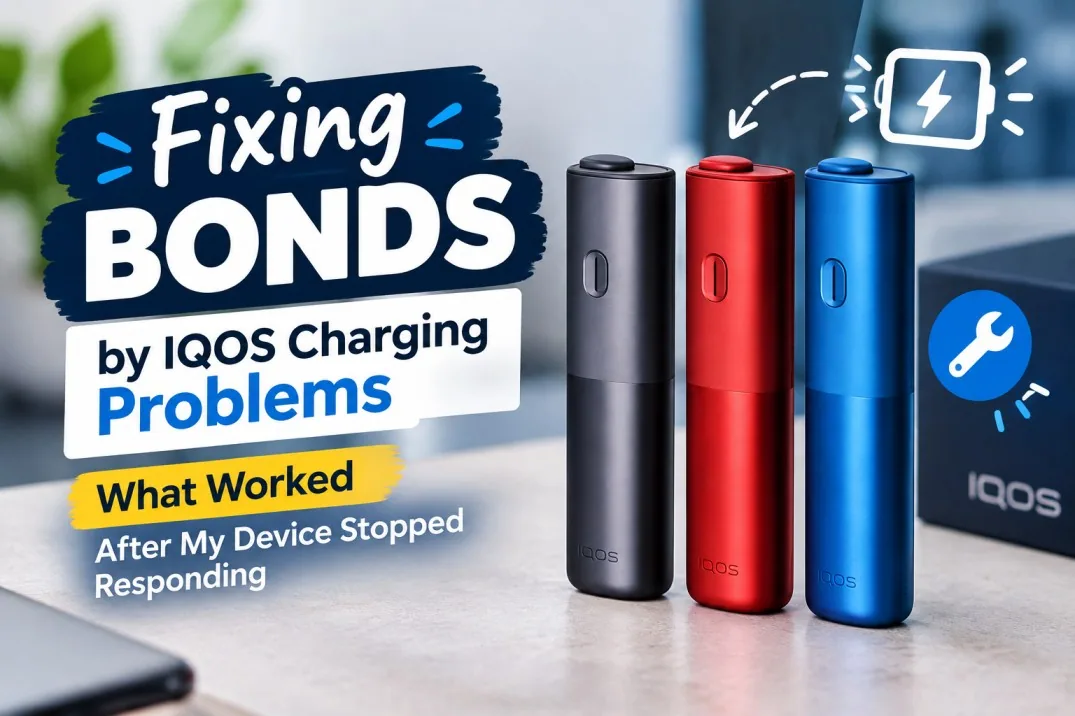
When Your BONDS by IQOS Suddenly Stop Responding
My BONDS device had been working fine for weeks. Then one evening I went to charge it; nothing. No lights, no response, not even the usual vibration when I pressed the button. If you’re reading this because the exact same thing just happened to you, I know exactly what’s going through your head right now: is this thing actually dead, or is there something I can still do?
Good news first. In most cases, BONDS by IQOS charging problems aren’t the end of the device. There’s a logical sequence worth working through before you assume the worst, starting with the boring stuff (power source, cable, connection) and moving up to an actual device reset if the basics check out fine. I’m not going to promise every device can be saved, because that wouldn’t be honest. But the steps below are exactly what I went through, in the order that actually worked.
Quick Checklist: Fixing BONDS by IQOS Charging Problems
- Test another known-working power outlet.
- Check the charging cable.
- Check the compatible power adapter and setup.
- Inspect the charging connection for a proper, secure fit.
- Check for visible debris without using anything sharp.
- Give a deeply discharged device real time to respond.
- Press and hold the ON/OFF button for about 10 seconds.
- Look and feel for the applicable vibration or light reset confirmation.
- Check whether the device responds normally afterward.
- Stop using the device if it becomes unusually hot or shows physical damage.
- Contact official support if the problem remains unresolved after all of this.
BONDS by IQOS Colors: Does the Color Matter?
BONDS comes in three colorways: IQOS BONDS Cosmic Black, IQOS BONDS Ruby Red, and IQOS BONDS Ocean Blue. Worth saying plainly: color is purely cosmetic and has nothing to do with charging behavior. Don’t waste time wondering if your Ruby Red device behaves differently from a Cosmic Black one; it doesn’t.
Troubleshooting should focus entirely on your exact device model, the specific symptoms you’re seeing, your charging setup, and the device’s physical condition. And if reset feedback does vary by region or firmware for your particular model, go with the instructions that apply to your specific device rather than assuming every variant behaves identically.
What Does It Mean When a BONDS Device “Stops Responding”?
Before you touch anything, it helps to pin down exactly what you’re dealing with, because different symptoms point toward different fixes.
You might be seeing no lights at all when you press the button. Or the device shows nothing when you connect it to a charger. Maybe a charging indicator appears but never actually progresses. Sometimes the device starts charging, then just stops partway through. Other times it works, but only intermittently, on again, off again, with no clear pattern. A device that was completely drained can also look dead for a while before it responds. And in some cases, the button does something, but the device still doesn’t seem to actually charge.
Here’s why pinning this down matters. A completely unresponsive device, the kind that gives you nothing no matter what you try, is usually the one that needs a reset. A charging indicator that keeps disappearing and reappearing often points toward a connection or power issue rather than the device itself. And if you’re dealing with visible physical damage or the device feels unusually hot, that’s a different situation entirely, one where you stop troubleshooting and get professional help instead.
Start With the Basics: Rule Out a Charging Setup Problem
Before you even think about resetting anything, rule out the boring stuff first. This is exactly where I started, and it’s worth doing properly rather than skipping ahead.
Check the Power Outlet
Try a different, known-working outlet before assuming your BONDS device itself is faulty. I almost skipped this step out of impatience, and I’m glad I didn’t, because testing the power source first saves you a lot of unnecessary troubleshooting down the line if the real issue turns out to be something as simple as a dead outlet.
Check the Charging Cable and Power Adapter
Give the cable a proper visual inspection for any fraying, bending, or visible damage. Test with a charging setup you know is actually compatible with the device. If anything looks even slightly off, don’t keep using it, a damaged cable can cause exactly the kind of intermittent charging behavior that looks like a device failure but isn’t one.
Inspect the Charging Connection
Look closely at the charging port for dust, lint, or any debris that might be blocking a proper connection. Make sure the connector is seated correctly, not at an angle, not half-in. Never force it. And whatever you do, don’t stick anything sharp into the charging port trying to clean it out; that’s a fast way to turn a simple fix into real damage.
Give a Deeply Discharged Device Time to Respond
If your battery got completely drained, it might not respond the second you plug it in. This one genuinely tripped me up at first. Leave it connected to a proper power source for a reasonable stretch of time rather than expecting instant lights. And resist the urge to keep unplugging and reconnecting it every few seconds to check; that impatience doesn’t help and can actually interrupt the charging process from properly starting.
The BONDS Reset That Can Bring a Non-Responsive Device Back
This is the part that actually worked for me, so let’s get into it properly.
When Should You Try a Reset?
A reset is worth trying when the device has genuinely stopped responding, when the button seems to do absolutely nothing, or when it’s just not behaving normally after being connected to power. It’s the right move when the device seems frozen rather than physically damaged. One thing worth being upfront about: a reset is not a fix for a genuinely damaged or defective battery. It helps with a device that’s stuck, not one that’s broken.
How to Reset BONDS by IQOS
Here’s exactly what to do, step by step.
First, check the device over for any physical damage or unusual heat before you do anything else. Locate the ON/OFF button. Press and hold it continuously for about 10 seconds; don’t let go early, and don’t press it repeatedly just one steady hold. On supported BONDS devices, you’ll know the reset has registered through the device’s own feedback, typically three vibrations and a specific light sequence, though this can vary depending on your exact model or regional variant. Release the button once you see or feel that confirmation. Let the device finish the reset process on its own. Then check whether it’s responding normally.
A quick but important note here: light patterns and vibration feedback genuinely do vary by model, region, and firmware version. Don’t release the button after just a couple of seconds, assuming that’s enough; the full 10-second hold matters. And don’t go hunting for some random button combination you saw mentioned somewhere online for a different IQOS device; stick to the documented BONDS procedure specifically.
What Should Happen After the Reset?
Once the reset goes through properly, you should see the device’s reset feedback kick in. Status lights might turn off briefly and then come back on. From there, the device should become responsive again, and you can check its battery and charging status like normal.
What If the 10-Second Reset Does Nothing?
If that didn’t fix it, don’t panic; just work back through the basics methodically. Recheck the outlet. Recheck the cable and power source. Confirm the charging connection is solid. Give it more charging time in case the battery really was deeply discharged. Try the reset once more if it genuinely seems appropriate. But if the device is still completely unresponsive after all that, that’s your signal to stop trying more DIY fixes and look into official support instead.
BONDS by IQOS Charging Problems: A Simple Troubleshooting Flow
Here’s the whole thing laid out as a quick decision path, useful if you just want the short version.
- If there are no lights or response at all: check power → check cable and adapter → check charging connection → allow charging time → perform the 10-second reset → contact support if still unresponsive.
- If the device shows a charging light: check the connection → allow it to charge → monitor the battery behavior → reset if the device is otherwise unresponsive → seek support if charging still fails.
- If charging repeatedly starts and stops: check the cable and connection → check for physical damage → try a different power source → reset if appropriate → contact support if the problem persists.
What Worked and What Didn’t, When My BONDS Device Stopped Responding
Being honest about this part matters, so here’s exactly what helped and what just wasted time.
What actually worked: testing the power source first instead of assuming the device was dead, checking the charging connection carefully, giving the device real time to respond after what turned out to be a deep discharge, performing the full 10-second ON/OFF reset properly, and watching closely for the vibration and light confirmation rather than guessing whether it had worked.
What didn’t help at all: constantly unplugging and reconnecting the device every few seconds out of impatience, assuming no immediate light meant permanent failure (it didn’t), trying random button combinations I’d half-remembered from other devices, using a cable I already suspected was damaged, and seriously considering opening the device myself before I talked myself out of it.
When a BONDS Charging Problem May Be More Than a Simple Reset
Sometimes the reset genuinely isn’t going to fix it, and it’s worth knowing exactly when to stop.
Watch for these warning signs: the device staying completely unresponsive even after proper charging and a reset, any visible physical damage, unusual heat while charging, swelling or other battery abnormalities, a damaged charging port, charging that keeps failing intermittently no matter what you try, or a device that keeps shutting down despite clearly having charge left.
If you see any of that, stop using the device right away. Don’t open it, and don’t attempt any kind of battery repair yourself; that’s genuinely not safe and not worth the risk. Contact the appropriate official IQOS or BONDS support channel, and check your warranty or service eligibility while you’re at it.
Common Mistakes When Trying to Fix IQOS BONDS Not Charging
A few mistakes come up again and again, so it’s worth naming them directly.
- Assuming the battery is permanently dead. A non-responsive device can often recover once it’s charged and reset properly; don’t write it off too early.
- Releasing the reset button too early. The full 10-second continuous hold actually matters; a quick tap isn’t the same thing at all.
- Trying random reset combinations. Stick to the documented BONDS procedure specifically rather than generic IQOS troubleshooting tips meant for a different device entirely.
- Ignoring the charging setup. A faulty cable, adapter, outlet, or loose connection can mimic a full device failure convincingly enough to fool you.
- Attempting DIY hardware repair. This one’s simply not worth the safety risk, leave it to official support.
Do BLENDS A Stick Flavors Cause Charging Problems?
Short answer: no, and it’s worth being direct about that. The BLENDS range for BONDS includes plenty of options, Passion Fruit Mix, Purple Edition, Rich Edition, Summer Edition, Tropical Edition, Warm Edition, Watermelon Mix, and Blossom Edition, and none of them have anything to do with whether your device charges.
A stick-related issue and a device that won’t power on or charge at all are two completely separate problems. If your BONDS has zero power response, switching to a different BLENDS flavor isn’t going to fix that, because the issue lives in the device and charging system, not in which stick you happen to be using. Treat these as separate troubleshooting paths entirely. If you’re more curious about which flavor actually suits your taste once your device is working again, our guide on choosing the right BLENDS A flavor covers that separately.
FAQ: BONDS Device Stopped Responding
Why is my BONDS by IQOS not charging?
Usually one of a handful of things: the power source, the cable or connection, a deep discharge, a device that needs a reset, or in rarer cases, an actual hardware fault. Work through them in that order.
How do I fix IQOS BONDS not charging?
Check the power and cable first, inspect the charging connection, give it proper charging time, and if none of that works, perform the BONDS reset.
How do I reset a BONDS device?
Hold the ON/OFF button continuously for about 10 seconds until you get the device’s reset feedback, typically vibration and a light pattern, then release.
How long should I hold the BONDS button to reset it?
About 10 seconds, continuously, until you see or feel the applicable reset confirmation. Don’t release early.
Why is my BONDS device not responding when I press the button?
Could be a deeply discharged battery that just needs time, a device that genuinely needs a reset, or in less common cases, an actual hardware issue that needs professional attention.
What do the BONDS lights mean when resetting?
The exact light behavior can differ by model and region, so check the instructions that apply specifically to your device rather than assuming every BONDS behaves identically.
What if my BONDS still won’t charge after resetting it?
Go back and recheck your entire charging setup. If the problem still won’t budge, contact official support rather than trying anything more invasive yourself.
Can I repair a BONDS device myself?
No, and I’d strongly advise against trying. Opening the device or attempting any kind of battery repair isn’t safe and isn’t recommended under any circumstances.
Why does my BONDS charge intermittently?
Most commonly a connection issue, a cable problem, an inconsistent power source, or in some cases, an underlying hardware fault worth having checked professionally.
Is a BONDS charging problem caused by the stick flavor?
No. Charging issues and stick-use issues are separate problems entirely, and they need to be diagnosed independently of each other.
Final Takeaway: Don’t Assume Your BONDS Is Dead
If there’s one thing I want you to take from all this, it’s that “not responding” doesn’t automatically mean your device is finished. Work through it in order: check the power source, check the full charging setup, give a deeply discharged battery real time to respond, perform the proper 10-second reset, and watch for that reset feedback. If none of that gets you anywhere, that’s genuinely the point to reach out to official support instead of pushing further on your own.
And one last safety note, because it matters more than anything else here: don’t take the device apart, and don’t keep using it if you’re seeing physical damage or unusual heat. That’s not a troubleshooting step; that’s just asking for a worse problem. For more on how BONDS actually differs from other heat-not-burn systems and why its design behaves the way it does, our breakdown of BONDS versus traditional heat-not-burn systems is worth reading too. And if you’re shopping for a replacement device or just want to see the current lineup, AllHeets Dubai carries the full BONDS range along with every BLENDS flavor mentioned here.
This product contains nicotine, which is an addictive chemical. For use by adults only.
