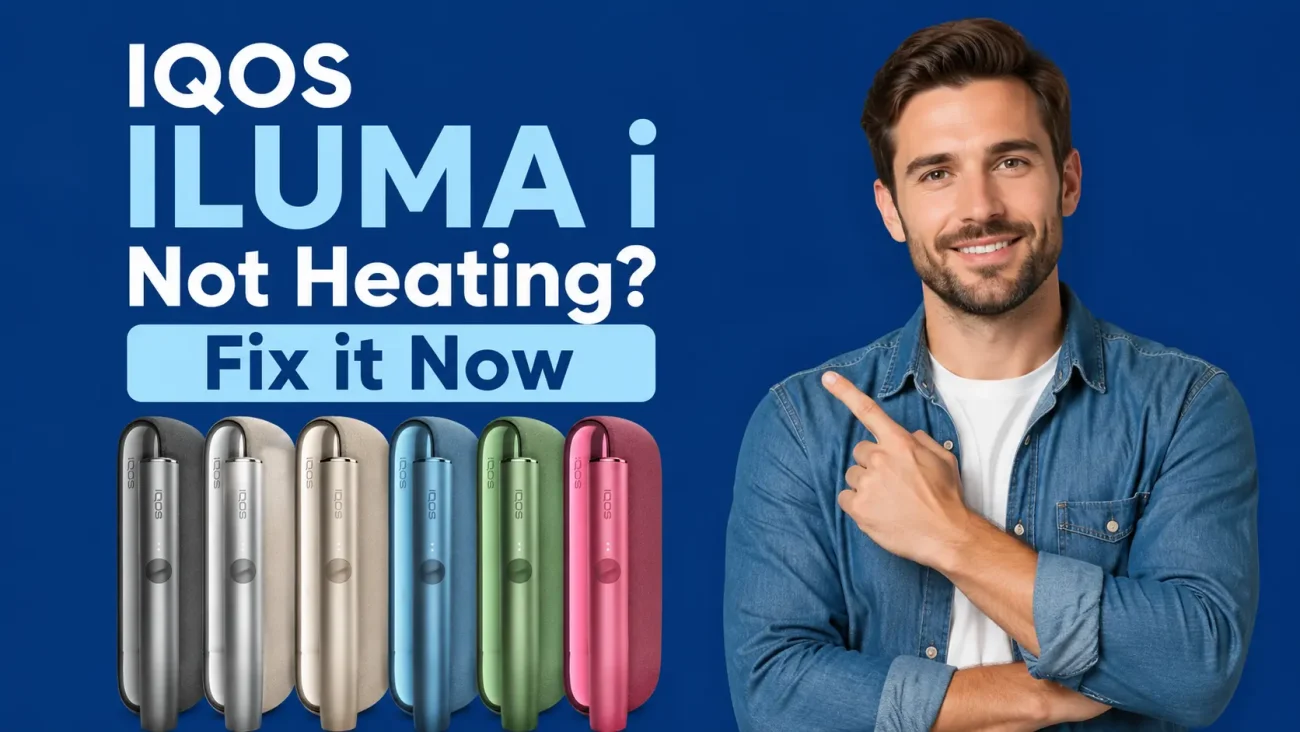
Your IQOS ILUMA i is not heating because of one of eight fixable causes: low battery, a used or incorrectly inserted TEREA stick, the wrong stick type, overheating from UAE summer heat, a dirty charging contact, a deactivated autostart setting, outdated firmware, or a counterfeit TEREA stick with no susceptor. Most users fix this in under five minutes using the steps below.
How the IQOS ILUMA i heats tobacco
Before troubleshooting, it helps to understand how this device actually works, because the fix depends on it.
The ILUMA i uses Smartcore Induction Technology. Instead of a metal blade that touches the tobacco, it uses a magnetic induction coil inside the holder. This coil creates an electromagnetic field that heats a metal susceptor element sitting inside every genuine TEREA stick. The heat comes from inside the stick itself, not from any part of the device.
No blade means nothing to clean inside the holder. If you are used to older IQOS models and trying to clean a blade, stop. The ILUMA i holder has no blade. The fix is almost never about cleaning the device internally.
Because the induction coil needs a susceptor to activate, the ILUMA i only works with TEREA sticks. No susceptor element means no heat, no matter how charged the device is.
8 reasons your IQOS ILUMA i is not heating
Here is a quick scan of the most common causes, along with what you will actually see on the device and how often each one happens in the UAE:
- Low or dead battery: yellow blink or no response at all. Very common.
- Used TEREA stick: device vibrates on insertion but produces no vapor. Very common.
- Wrong stick type (HEETS, not TEREA): no vibration or very weak heat. Common among people switching from IQOS 3 DUO.
- Overheating from Dubai heat: two white blinks, then the device goes dark. Extremely common in summer.
- Autostart turned off in app: stick inserts but nothing happens automatically. Common with new users.
- Dirty charging contacts: device fails to charge properly, so heating fails too. Moderate.
- Outdated firmware: random or intermittent heating failures. Occasional.
- Counterfeit TEREA stick: full battery, correct insertion, still no heat. Growing problem in Dubai and Sharjah.
Found your cause? Jump to the matching step below.
Step-by-step fix guide for IQOS ILUMA i not heating
Work through these in order. Most people are fixed by Step 1 or Step 2. Only move forward if the previous step did not solve it.
Step 1
Check the battery level
Press the pocket charger button briefly and count the white lights.
- 4 white lights: fully charged
- 3 lights: about 75% remaining
- 2 lights: about 50% remaining
- 1 light: about 25% remaining
- Yellow blink at the bottom: too low to heat, charge immediately
If the battery is below 25%, plug in using the official USB-C charger. A full charge takes around 75 to 90 minutes. Wait at least 20 minutes before trying a session after a completely dead battery.
UAE warning: Never charge your device in a parked car or near a sunny window. Heat reduces charging speed and slowly kills the battery over time.
Step 2
Check your TEREA stick
This is the most common fix. The ILUMA i recognises whether a stick has already been used and will not heat it again.
- Use a fresh, unopened TEREA flavor
- The tobacco plug should feel firm and intact, not crumbled or loose
- Slide it straight in until it stops, no twisting or forcing
- If in doubt, throw it away and try a brand new one from a sealed pack
Step 3
Make sure you are using TEREA, not HEETS
This is the number one mistake for people who switched from an older IQOS 3 DUO. HEETS sticks do not have a susceptor element inside, so the induction coil fires but has nothing to heat.
Easy check: TEREA packs say TEREA on the label. HEETS packs say HEETS. Look at the packaging before inserting any stick. One accidental HEETS insertion will not damage your device, but repeated use will stress the induction system.
Step 4
Cool the device down (the UAE heat fix)
The IQOS ILUMA i device, including Iluma i One, Iluma i Prime, and Iluma i Standard, shuts off automatically when its internal sensor detects temperatures outside the 0 to 40 degree Celsius operating range. In Dubai, this is an extremely common problem in summer afternoons.
If you see two white blinks followed by the device going dark, that is the overheating signal. Here is what to do:
- Move the device inside to an air-conditioned room
- Wait 15 to 20 minutes without attempting a session
- Never put it in the freezer or a cooler bag. Rapid temperature change damages the battery
- After cooling, try a fresh TEREA stick and start again
Critical: Car interiors in UAE summer reach 70 degrees Celsius. One exposure at that level can permanently damage the lithium battery. Never leave your ILUMA i in a parked car.
Step 5
Do the 10-second device reset
A software glitch can stop heating even when everything else is fine. A reset clears it without erasing your settings.
ILUMA i Standard and ILUMA i Prime:
- Remove any TEREA stick from the holder
- Place the holder inside the pocket charger
- Hold the pocket charger button for 10 seconds until all lights turn off
- Release the button. All lights will blink twice, then turn back on
- Two blinks confirm the reset is done
ILUMA i One: Hold the device button for 7 seconds until the lights blink twice. That is your reset confirmation.
Step 6
Clean the charging contacts
Sand, dust, and humidity build up on the gold charging contacts between the holder and the pocket charger. Dirty contacts cause poor charging, which looks like a heating failure.
- Use a dry cotton swab or the official IQOS cleaning stick
- Gently rub the metal contacts on the holder base and inside the charger pocket
- No water, no alcohol, nothing wet
- Reconnect, charge for 10 minutes, then test a fresh stick
Step 7
Update the firmware via the IQOS app
Old firmware causes random heating failures and autostart problems. The IQOS app handles updates wirelessly.
- Download the IQOS app from the App Store or Google Play
- Connect your ILUMA i via Bluetooth
- Go to device settings and tap Firmware Update
- Keep the device plugged in and the app open until the update finishes
Do not disconnect during an update. An interrupted firmware update creates new errors on top of the old ones.
Step 8
Check whether your TEREA sticks are counterfeit
This is the fix that stumps most users. Full battery, correct stick, correct insertion, and still no heat. The device fires the induction coil but the fake stick has no susceptor to heat.
Signs your TEREA might be counterfeit:
- The pack print looks slightly blurry or the colours are uneven
- Sticks feel lighter or drier than usual when you remove them
- The aroma from the pack does not clearly match the flavour name
- Sessions feel weak or cut off early even with a full battery
- You bought them from a WhatsApp seller, street vendor, or unnamed online shop
If any of these match, switch to a fresh pack from an authorised UAE retailer and test again. The device should heat normally with genuine TEREA sticks.
IQOS ILUMA i LED light code guide
Use this table when a light appears and you are not sure what it means:
| Pattern | Colour | What it means | What to do |
|---|---|---|---|
| Pulsing | White | Stick is heating, normal | Wait for solid light |
| Solid | White | Ready to use | Start your session |
| 1 light pulsing | White | Last 30 seconds or 2 puffs left | Finish the session |
| 2 blinks | White | Temperature out of range (0 to 40°C) | Cool or warm the device |
| Yellow blink | Yellow | Battery too low | Charge immediately |
| Solid red on holder | Red | Device overheated | Cool for 15 minutes |
| Blinking red | Red | Hardware error | Do the 10-second reset |
| Red on charger | Red | Charging error | Try a different cable and adapter |
| Orange pulsing | Orange | Temperature slightly off | Move to cooler or warmer space |
| All lights blinking | White | Firmware update running | Do not disconnect |
| No light at all | None | Battery completely dead | Charge with official adapter for 20 min |
UAE note: Overheating lights appear far more often in Dubai during the summer months than in cooler climates. If you see red or orange lights regularly in July to September, heat exposure is almost certainly the cause.
How Dubai’s heat affects your IQOS ILUMA i
The ILUMA i is designed for a 0 to 40 degree Celsius operating range. That is generous for most of the world but tight for UAE summers.
Here is how common Dubai situations affect the device:
- Parked car in summer: Interior reaches 70°C within minutes. This permanently damages the battery and causes the device to stop heating entirely.
- Direct sunlight on a table: Surface temperature hits 55 to 60°C. Triggers thermal shutdown within a few minutes of exposure.
- Pocket outdoors at 45°C: Your body heat plus ambient temperature pushes the device to its limit. Two white blinks appear, then it stops.
- Moving quickly from outdoors to a very cold AC room: The sudden temperature change confuses the sensor. Allow 3 to 5 minutes before starting a session.
- Air-conditioned room at 22 to 24°C: This is the ideal environment. Store and use your device here whenever possible.
The most important rule for UAE users: Never leave your IQOS ILUMA i in a parked car. One summer afternoon at 70°C can cause battery damage that no reset will fix.
How to spot fake TEREA sticks causing heating failure
Counterfeit TEREA is a growing problem in Dubai and Sharjah, mostly sold through WhatsApp groups and street vendors. From the outside, fake sticks look nearly identical to the real thing. Inside, they either have a weak susceptor or no susceptor at all. The induction coil fires perfectly but there is nothing for it to heat.
Here is how to check before you use a new pack:
- Buy only from licensed UAE retailers with a physical shop or a verified website
- The pack print should be sharp and consistent, no blurring or colour bleeding anywhere
- Each stick should feel firm and carry a clear aroma that matches the flavour name on the pack
- If the session feels shorter or weaker than usual with a brand-new pack, suspect counterfeit
- If you bought from a WhatsApp contact, assume counterfeit until you verify the source
Pre-session checklist: never have this problem again
Run through this quick check before every session and the IQOS ILUMA i not heating problem becomes very rare:
- Battery at 25% or above (check with a short button press)
- Fresh, genuine TEREA stick from a sealed pack
- Stick inserted straight and fully, not twisted or forced
- Device stored and used below 40°C, not left in a car or direct sun
- Charging contacts clean and free of dust or sand
- Autostart is turned on in the IQOS app
- Firmware is up to date
- TEREA purchased from an authorised UAE retailer
When to claim your IQOS ILUMA i warranty in Dubai
If you have completed all eight steps and the device still does not heat, you are likely dealing with a hardware fault covered by the manufacturer warranty.
To make a claim in the UAE:
- Visit our Terea Dubai and go to the support section
- Have your proof of purchase from an authorised UAE retailer ready
- Describe the issue and mention which troubleshooting steps you already tried
- An agent will direct you to the nearest service centre in Dubai, Abu Dhabi, or Sharjah
Important: Warranty only applies to devices bought from authorised sellers. Devices from WhatsApp contacts, street vendors, or unverified shops are not covered. Buying from a licensed retailer protects your warranty from day one.
Get genuine TEREA and IQOS ILUMA i delivered in Dubai
If a fresh pack of genuine TEREA fixes the problem, you are done. If the device itself needs replacing, as a authorised UAE retailer, we, Terea Dubai, offer within 12 hours and 1 to 2 hour delivery of original ILUMA i devices across Dubai, Ajman, and Sharjah. Also, cash on delivery is available.
Frequently asked questions
Why does my IQOS ILUMA i vibrate on insertion but not heat?
The device detected the stick but could not complete the heating cycle. The most likely causes are a used stick, a counterfeit stick with no susceptor element, or a device that has overheated and entered a protective shutdown. Start with a brand new genuine TEREA stick. If that does not fix it, do the 10-second reset from Step 5.
What do 2 white blinks on the IQOS ILUMA i mean?
Two white blinks followed by the device going dark means the internal temperature sensor detected that the device is outside its safe range of 0 to 40 degrees Celsius. In Dubai, this almost always means the device is too hot. Move it to an air-conditioned room and wait 15 to 20 minutes before trying again.
Can Dubai heat permanently damage the IQOS ILUMA i battery?
Yes. Car interiors in UAE summer reach 70 degrees Celsius, well above the safe limit. Exposure at that temperature can cause permanent battery damage. You may notice the device charges more slowly, completes fewer sessions per charge, or stops heating altogether. A reset will not fix heat-damaged batteries. You will need a replacement.
Can I use HEETS in my IQOS ILUMA i if I run out of TEREA?
No. HEETS sticks do not contain a susceptor element, so the induction coil has nothing to heat. You will get no heat and no vapor. One accidental insertion will not damage the device, but repeatedly trying to use HEETS in an ILUMA i will stress the induction system over time. Always use TEREA sticks only.
Why does my ILUMA i work in the morning but stop heating in the afternoon?
This is a classic UAE temperature pattern. In the morning, the device is within its safe range. By the afternoon, outdoor ambient temperatures in Dubai can reach 45°C, and pockets or bags trap additional heat. The device shuts down to protect itself. Move indoors, wait 15 minutes, and it should work normally again.
How do I know if my TEREA sticks are fake and causing heating failure?
Look for blurry or inconsistent pack print, sticks that feel lighter or drier than usual, aroma that does not match the flavour label, sessions that cut off early, and sticks you bought from a WhatsApp seller or street vendor. Switch to a fresh pack from a licensed UAE retailer and test. If heating resumes, the previous sticks were most likely counterfeit.
Where can I get my IQOS ILUMA i repaired or replaced in Dubai?
Contact IQOS UAE customer support at iqos.com/ae with proof of purchase from an authorised seller. Service centres are available in Dubai, Abu Dhabi, and Sharjah. Authorised online retailers also offer 12 hour courier delivery of replacement ILUMA i devices across all UAE emirates.
