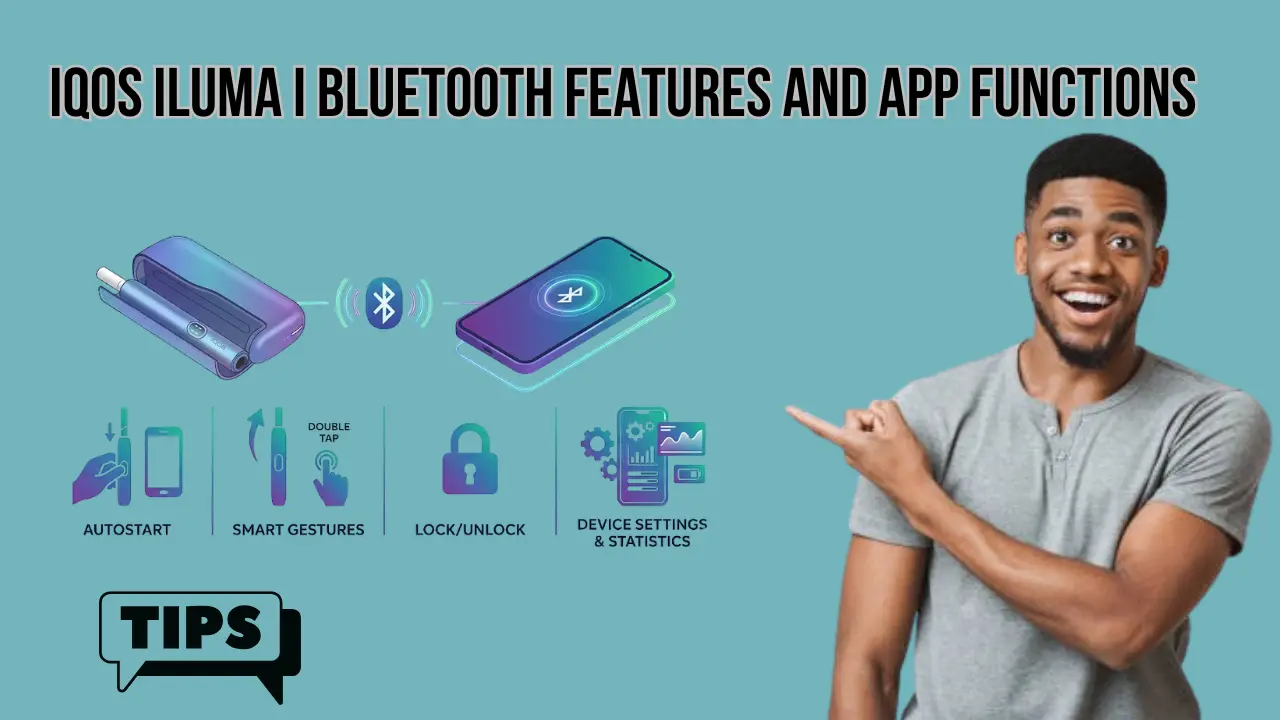
If you’ve just picked up the IQOS ILUMA i, or you’re planning to buy one in Dubai, there’s one feature most people overlook at first: Bluetooth connectivity and the IQOS app.
At a glance, it sounds like a small add-on. Just connect your device and maybe check a few settings. But once you actually use it, you realize something important:
The app is not just an extra. It’s what unlocks how your device actually performs.
In this guide, you’ll understand what IQOS ILUMA i Bluetooth features really do, how the app works in real life, and whether it’s actually worth using.
What Is IQOS ILUMA i Bluetooth Connectivity?
The IQOS ILUMA i comes with built-in Bluetooth that connects your device to the IQOS app on your phone.
In simple terms:
- Your device = the hardware
- The app = your control panel
Once connected, Bluetooth allows you to:
- Customize how your device behaves
- Monitor usage patterns
- Control smart features
- Troubleshoot issues instantly
Unlike older IQOS devices, this connection is not just for basic settings. It gives you real control over performance, battery, and session experience.
What Is the IQOS App and How It Works
The IQOS app is the official companion platform designed for ILUMA series devices, especially the ILUMA i Prime, ILUMA i Standard, and ILUMA i One.
Where you can use it:
- Android app version
- Web-based app for iPhone users (via browser workaround)
What happens after pairing:
Once you connect your device via Bluetooth, the app turns into a dashboard where you can:
- Adjust device settings
- Enable smart features
- Track your usage
- Update firmware
- Run diagnostics
👉 Think of it like this: without the app, you are using default settings. With the app, you are customizing your entire experience.
Complete Breakdown of IQOS ILUMA i Bluetooth Features
Let’s go deeper into each feature so you actually understand what it does in real use.
1. Device Customization Settings
This is the first thing most users explore after connecting.
You can adjust:
- Light brightness (illumination intensity)
- Vibration feedback
- Device name
- Touch interface settings
Why this matters:
- Lower brightness saves battery
- Turning off vibration makes the device more discreet
- Renaming helps if you have multiple devices
👉 If you’re using IQOS in public places in Dubai, reducing lights and vibration makes it much more subtle.
2. FlexBattery Mode (Performance vs Eco)
This is one of the most important features.
Two modes available:
Performance Mode
- Strong, consistent heating
- Best flavor delivery
- Slightly higher battery usage
Eco Mode
- Extends battery life
- Slightly reduces performance intensity
Real-world use:
- Going out for long hours → Eco mode
- Want maximum flavor at home → Performance mode
👉 This feature gives you control over battery vs experience, which older IQOS devices didn’t offer.
3. FlexPuff Technology (Adaptive Puff System)
This is where things get interesting.
FlexPuff automatically adjusts your session based on how you use the device.
What it does:
- Detects your puff pattern
- Adds extra puffs if needed
- Extends the session slightly
Example:
- If you take slower puffs → session lasts longer
- If you take quicker puffs → system adjusts automatically
👉 It’s like the device learns your behavior over time.
4. Auto Start and Smart Heating Control
This feature controls how your session begins.
Two options:
Auto Start
- Device starts heating when you insert a TEREA stick
Manual Mode
- You press a button to start
Why it matters:
- Auto Start is faster and more convenient
- Manual gives more control
👉 Most users in Dubai prefer Auto Start because it feels more seamless.
IQOS Iluma i Prime vs Iluma Prime Kit in UAE: Which One Should You Buy?
5. Usage Tracking and Insights Dashboard
The IQOS app gives you data about your usage habits.
You can track:
- Daily usage
- Weekly trends
- Monthly patterns
- Session frequency
Why this matters:
- Helps you understand your habits
- Useful if you are trying to reduce consumption
👉 This feature turns IQOS into a smart device, not just a tobacco device.
6. Find My IQOS (Bluetooth Tracking)
One underrated feature.
What it does:
- Shows the last connected location
- Helps locate the device nearby
- Allows device locking
Real use case:
- Left your device in a car
- Misplaced it at home
- Forgot it in a cafe
👉 It won’t work like GPS tracking, but within Bluetooth range, it’s very useful.
Advanced IQOS Tips to Boost Flavor and Performance Like a Pro
7. Firmware Updates and Feature Upgrades
Your device can improve over time.
Through the app, you can:
- Update firmware
- Fix bugs
- Unlock new features
Why this matters:
- Keeps your device optimized
- Improves stability and performance
👉 This is something older IQOS models didn’t fully support.
8. Device Diagnostics and Troubleshooting
Instead of guessing what’s wrong, the app tells you.
It can:
- Detect device issues
- Provide step-by-step fixes
- Guide you through solutions
Example:
- Heating issue → app explains solution
- Battery problem → app shows status
👉 Saves time and avoids unnecessary service visits.
9. Smart Feature Control Panel
Inside the app, you get a central control panel.
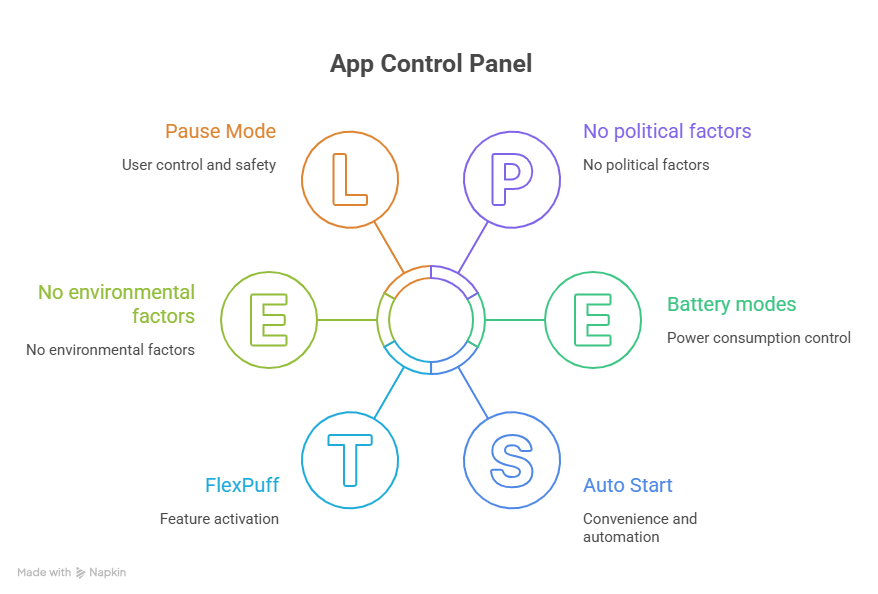
You can enable or disable:
- FlexPuff
- Pause Mode
- Battery modes
- Auto Start
👉 This is where the real customization happens.
What the IQOS App Actually Does (Real-Life Scenarios)
Let’s simplify everything into real-life situations.
Scenario 1: You want longer sessions
→ Turn on FlexPuff
Scenario 2: Your battery drains too fast
→ Switch to Eco mode
Scenario 3: You lost your device
→ Use Find My IQOS
Scenario 4: Device not working properly
→ Run diagnostics
Scenario 5: Want a smoother experience
→ Adjust settings and performance mode
👉 This is why the app matters. It solves real problems.
IQOS ILUMA i vs Older IQOS Devices (App Features Comparison)
Here’s a clear comparison:
| Feature | IQOS ILUMA i | Older IQOS Models |
| Bluetooth Connectivity | Advanced | Limited |
| FlexPuff | Yes | No |
| FlexBattery | Yes | No |
| Usage Tracking | Detailed | Basic |
| Firmware Updates | Yes | Limited |
| Smart Customization | High | Low |
👉 The ILUMA i is not just an upgrade. It’s a smarter system.
Limitations of IQOS Bluetooth and App
To be honest, it’s not perfect. And this is important for trust.
⚠️ Limitations:
- Bluetooth works only within a short range
- iPhone users need a browser workaround
- Occasional connection issues
- Not all features are available in every region
👉 Based on available information, these limitations exist depending on device and region.
IQOS ILUMA Standard vs ILUMA Prime vs ILUMA One: Which Device Should You Choose?
How to Connect IQOS ILUMA i to the App
Here’s a simple step-by-step guide:
- Step 1: Turn on Bluetooth on your phone
- Step 2: Open the IQOS app
- Step 3: Turn on your IQOS device
- Step 4: Pair the device
- Step 5: Access dashboard and settings
👉 The whole process usually takes less than 2 minutes.
Where to Buy IQOS ILUMA i Device in Dubai & UAE
If you’re in Dubai or UAE, choosing the right place matters.
Authorized Retailers
- Vape shops and tobacco flavor stores
- Reliable but depends on seller
Online Stores (Best Convenience)
Buying online is the most popular option in Dubai now.
Why:
- Fast delivery
- Better pricing
- Easy comparison
Buy from Terea Dubai Online Shop
If you want a trusted online option, Terea Dubai is a reliable choice.
What you get:
- 100% authentic IQOS ILUMA i devices
- Fast delivery across Dubai and UAE
- Latest models and colors
- Support for TEREA sticks compatibility
👉 Always make sure you are buying from verified sellers to avoid fake devices.
What to Check Before Buying
Before placing an order:
- Confirm it’s ILUMA i (not older ILUMA)
- Check compatibility with TEREA sticks
- Look for warranty support
- Verify seller reputation
Final Thoughts
The IQOS ILUMA i Bluetooth feature is not just a technical add-on. It’s what turns your device into a smart system.
Without the app, you are using a standard device.
With the app, you get:
- Better control
- Better performance
- Better experience
And once you start using it properly, it becomes something you don’t want to go without.
Here are all the top-performing FAQs for your IQOS ILUMA i Bluetooth features blog, rewritten in a serial, concise format for maximum readability and SEO impact.
Frequently Asked Questions
How do I pair my IQOS ILUMA i via Bluetooth?
Turn your device ON, then press and hold the button for 5 seconds until the lights blink. Open the IQOS App or WebApp and select “Add Device” to pair.
Can I use Bluetooth on an iPhone (iOS)?
Yes, but you must use the Bluefy Browser to access the IQOS WebApp, as Apple restricts native Bluetooth apps for tobacco products.
What is “Eco Mode” in the app?
Available only via Bluetooth, Eco Mode limits the holder to one use at a time. This reduces battery wear and extends the total battery lifespan by up to one year.
How does “FlexPuff” work?
Bluetooth enables FlexPuff, which senses your inhalation pattern. If you take lighter puffs, the device automatically grants you 4 extra puffs within your 6-minute session.
Can I customize vibrations and lights?
Yes. The app allows you to toggle haptic feedback (vibrations) on/off and adjust the LED brightness of the new touch screen.
How do I fix a Bluetooth connection error?
Place the holder in the charger and hold the button for 10 seconds to reset. Ensure your device is registered to your IQOS profile, as unregistered devices often fail to sync.
Does Bluetooth help with the “Pause” feature?
The app allows you to toggle the Pause Mode capability on or off, but the actual “Swipe Down” action to pause is done directly on the device’s touch screen.
How do I update my device firmware?
Connect via Bluetooth and check the “About My Device” section in the app. Updates fix touch-screen glitches and optimize the FlexBattery performance.
Can I find a misplaced ILUMA i?
Yes. If you are within 10 meters, use the “Find My Device” feature in the app to make your IQOS vibrate or flash its lights.
Why is my Bluetooth light blinking orange?
An orange light usually indicates a software glitch or low battery. Charging the device and performing a 10-second reset typically resolves the issue.
