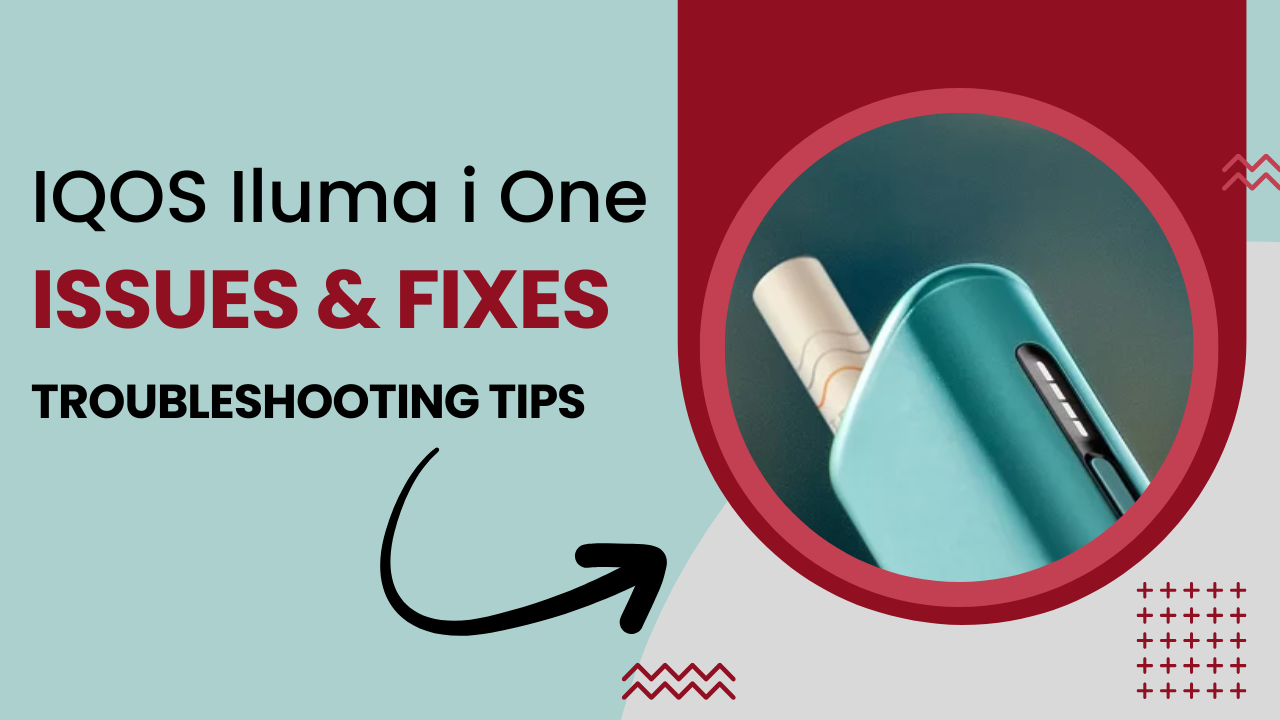
The IQOS Iluma i One is a modern, sleek heat-not-burn device that combines simplicity with innovation. It uses the Smartcore Induction system to deliver consistent vapor and flavor without the need for blade cleaning. However, like any electronic device, users occasionally encounter problems such as the device not heating, not turning on, or producing weak flavor.
In this guide, we’ll cover the most common IQOS Iluma i One issues, explain why they happen, and provide practical solutions that both beginners and experienced users can apply. By the end, you’ll know how to maximize performance and enjoy a smooth session every time.
Quick Overview of IQOS Iluma i One
Before troubleshooting, it’s helpful to understand the key specifications of the device. This knowledge makes it easier to identify the cause of most IQOS Iluma i One problems.
| Feature | Details |
|---|---|
| Heating System | Smartcore Induction |
| Battery Life | Up to 20 uses per full charge |
| Charging Time | Approx. 90 minutes |
| Operation | One-button simplicity |
| Compatible Sticks | Only IQOS TEREA sticks |
Why these specs matter:
- Battery level affects heating and vapor consistency
- Smartcore Induction requires precise stick placement
- Only TEREA sticks work; using other sticks can cause issues
Available Colors : Match Your Style
The Iluma i One comes in five vibrant colors, allowing users to choose a device that fits their personality:
- Black (Best Seller)
- Blue (Best Seller)
- Terracotta
- Violet
- Lime Green
Tip: Color has no impact on performance; all models share the same internal components.
Understanding How IQOS Iluma i One Works
The Iluma i One is designed for simplicity but relies on correct usage:
- Smartcore Induction: Heats the tobacco from within, no blades required.
- Stick Compatibility: Only TEREA sticks can work with induction heating. Using HEETS or other sticks can cause weak vapor or no heating.
- Session Behavior: Removing the stick too early or using the device with a low battery can reduce flavor or interrupt heating.
Common IQOS Iluma i One Issues and How to Fix Them
Here’s a detailed look at the most reported problems and practical solutions.
1. Device Not Turning On
Common Reasons:
- Battery is fully drained
- Device is temporarily inactive
- Incorrect button pressing
How to Fix:
- Charge the device fully (approx. 90 minutes)
- Press and hold the button for the recommended duration
- Let the device rest if it doesn’t respond immediately
Most “not working” complaints are resolved by proper charging and button use.
2. Device Not Heating Properly
Possible Causes:
- Low battery
- Stick not fully inserted
- Removing stick before heating cycle completes
Solutions:
- Ensure battery is sufficiently charged
- Insert TEREA sticks completely
- Wait for full heat-up signal before using
Pro Tip: Allowing the device to complete the cycle improves flavor and vapor quality.
3. Weak Vapor or Low Flavor
Common Reasons:
- Using old or improperly stored sticks
- Puffing too quickly or aggressively
- Interrupting heating cycle
How to Improve:
- Store sticks in a cool, dry place
- Use slow, steady puffs
- Avoid removing sticks mid-session
Consistent usage delivers better flavor and a smoother experience.
4. Charging Problems
Signs:
- Device not charging
- Slow charging
- No indicator light
Fixes:
- Always use the original cable and adapter
- Keep the charging port clean and dry
- Avoid charging in extreme temperatures
Pro Tip: Proper charging habits prolong battery life and prevent future issues.
5. Blinking Lights : What They Mean
Normal Signals:
- Charging status
- Low battery alerts
- Heating preparation
Warning Signals:
- Repeated blinking without proper charging
- Device fails to complete session
Tip: Learn the blinking patterns to know when your device needs attention.
6. Using the Wrong Sticks
Why It Matters:
- Only TEREA sticks are compatible with Smartcore Induction
- Using HEETS or other brands can cause no heating or weak vapor
Solution:
- Always use genuine TEREA sticks
- Verify authenticity through packaging
Stick compatibility is one of the biggest reasons for IQOS Iluma i One problems.
7. Daily Care Tips
Do:
- Store in a dry place
- Charge regularly
- Let device cool between sessions
Don’t:
- Force sticks into the device
- Expose the device to water or heat
- Use incompatible sticks
Tip: Regular care prevents most operational issues before they occur.
8. When to Replace or Service Your Device
- Battery shows reduced session count or longer charging time
- Device fails to operate after following troubleshooting steps
- Consistent interruptions occur despite proper use
Knowing when professional support is needed prevents frustration and extends device life.
Compatible TEREA Flavors for IQOS Iluma i-One
Using the right TEREA sticks ensures your IQOS Iluma i-One delivers full flavor and smooth vapor. Only TEREA sticks are compatible with the device’s Smartcore Induction system.
Popular TEREA Flavors:
- Bronze : Rich, full-bodied tobacco with earthy notes
- Silver : Light and smooth tobacco flavor, perfect for daily use
- Turquoise : Crisp menthol freshness with subtle tobacco hints
- Purple Wave : Sweet and fruity with aromatic undertones
- Yellow : Zesty and vibrant citrus-inspired flavor
- Blue : Mild, soothing, and herb-like tobacco taste
- Sienna : Woody, earthy tobacco profile with smooth finish
- Amber : Toasted, warm, and balanced tobacco flavor
- Sun Pearl : Light and mellow with a refreshing aroma
- Green Zing : Bold menthol-style tobacco with fresh herbal notes
- Purple : Sweet, aromatic, and balanced richness
- Starling Pearl : Slightly fruity and aromatic, smooth taste
Tip: Always use genuine TEREA sticks with IQOS Iluma i-One for the best flavor and consistent performance.
Tips to Avoid Common IQOS Iluma i-One Issues
Even simple devices can face issues if not used correctly. These tips help avoid common problems like weak vapor, heating interruptions, or charging issues while keeping your device performing at its best.
Daily Usage Tips
- Charge Fully: Ensure the device is fully charged before each session.
- Use Only TEREA Sticks: Other sticks may cause weak flavor or malfunction.
- Insert Sticks Correctly: Push the stick in completely before starting.
- Allow Cooling: Give the device a break after multiple sessions.
Storage and Care Tips
- Store Safely: Keep away from moisture and extreme heat.
- Clean Occasionally: Wipe the exterior and stick area to prevent dust.
- Handle Gently: Avoid drops or pressing buttons forcefully.
Session Tips
- Puff Smoothly: Take slow, steady puffs for consistent flavor.
- Complete the Cycle: Wait until the session ends before removing the stick.
Battery and Charging Habits
- Use Original Charger: Always use the original cable and adapter.
- Avoid Overcharging: Disconnect after full charge to preserve battery.
- Watch Indicator Lights: Blinking lights show battery or heating status.
Following these tips ensures your IQOS Iluma i-One delivers smooth sessions, full flavor, and longer device life.
Conclusion
Most IQOS Iluma i One issues are related to usage habits rather than hardware defects. Common problems such as device not turning on, weak flavor, or charging issues can often be resolved with proper stick placement, charging routines, and session management.
By following these tips and understanding your device, you can enjoy smooth, consistent sessions and avoid most operational hiccups. The Iluma i One remains a reliable and easy-to-use heat-not-burn device for both beginners and experienced vape lovers in the UAE.
